Calyvento

Breaks up your sitting.
Not your focus.

Short movement and eye breaks, designed by a physiotherapist and spread throughout your workday. Calyvento waits for the right moment, then invites you with waves that rise gently from the edge of your screen. It gets you moving without nagging.

macOS 15.5 or laterFree tier, no sign-upYour work data stays on your Mac

Windows version coming soon · Get notified

Just follow along with the video

A physiotherapist designed every move.

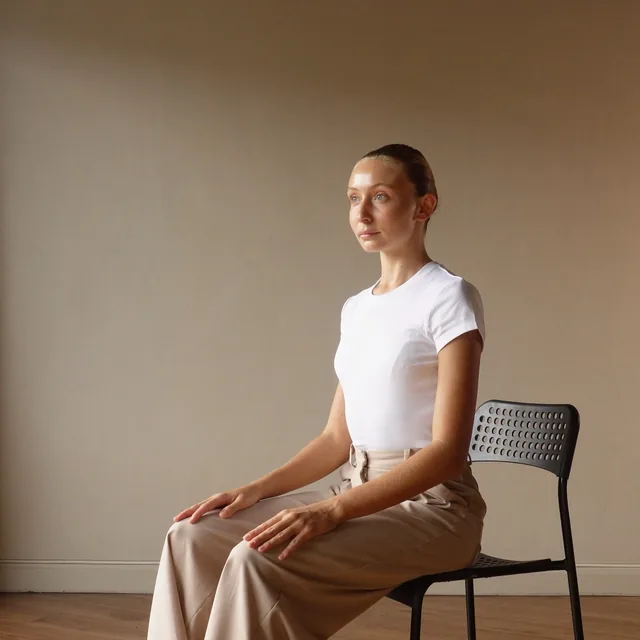
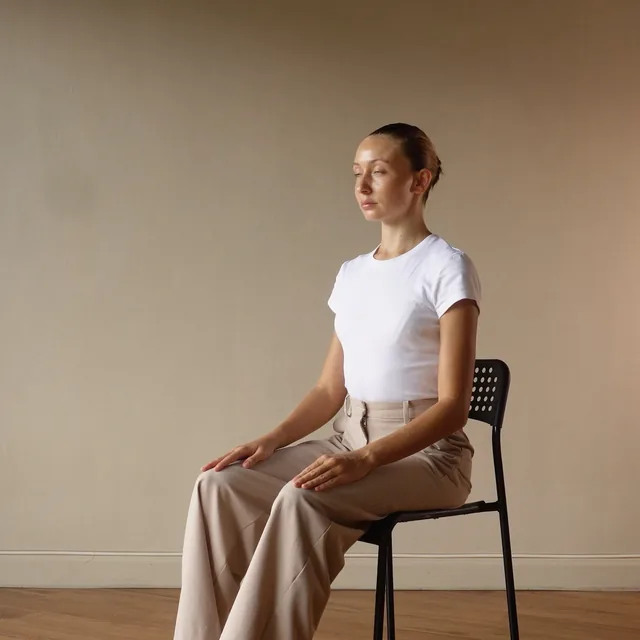
Upper trapezius stretchUpper back & shoulders

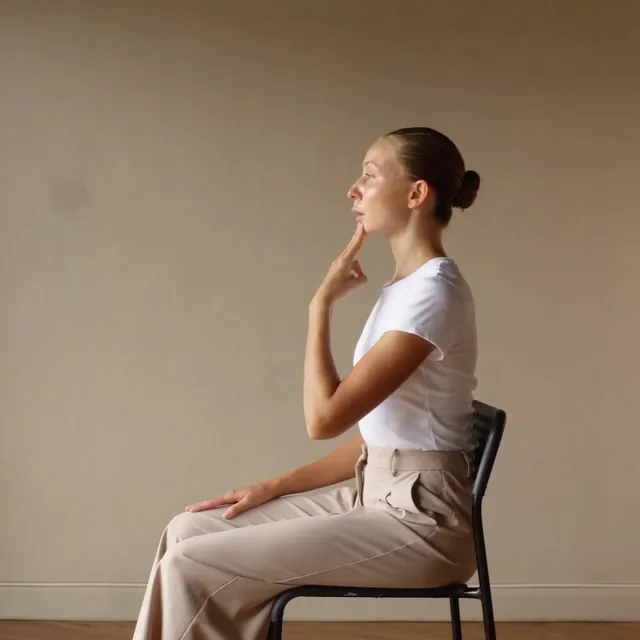
Tilt your head gently to the side. Do not pull with your hand.

How to do it

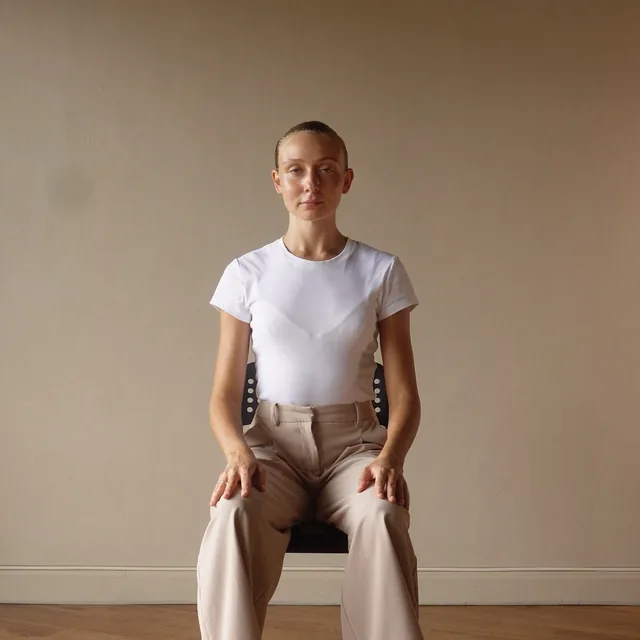
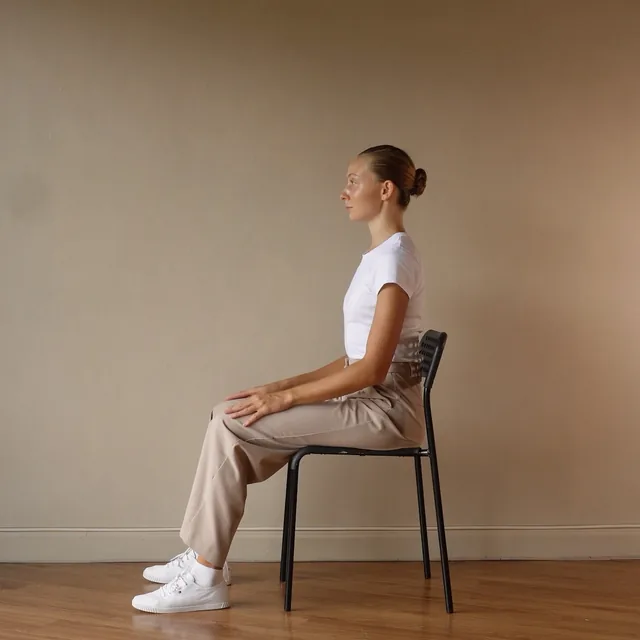
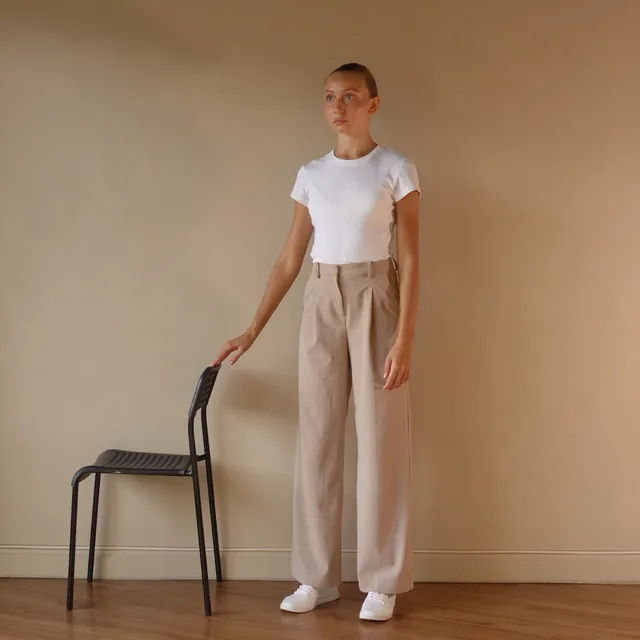
Sit tall. Anchor one hand behind the back or on the edge of the seat to keep that shoulder down. With the other hand, tilt the head gently to the opposite side. The hand may apply a very light stretch. Hold for 20 s, change sides in about 3 s, then hold the opposite side for 20 s. Repeat 5 times for each side. Do not rotate the head or lift the anchored shoulder.

Common mistakes

Pulling hard with the hand; letting the anchored shoulder rise; tipping the head forward while tilting.

This round

  1. Hold the left side20s
  2. Change sides3s
  3. Hold the right side20s
  4. Release and reset5s
Total remaining

Breathing

Breathe out long and slow while holding. Exhaling helps the muscle release.

The stretch should feel mild, not uncomfortable. Release if you feel tingling or numbness spreading into your arm. Avoid with acute neck pain or after neck surgery.

Safety

Stop the exercise immediately if you experience sharp, severe, or radiating pain; new or worsening numbness, tingling, or weakness; dizziness, lightheadedness, faintness, loss of balance or coordination; visual changes; severe or unusual headache; nausea or vomiting; chest pain, pressure, or tightness; unusual shortness of breath; or a rapid, irregular, or otherwise unusual heartbeat. If symptoms persist, worsen, or feel concerning, seek appropriate medical attention. Calyvento does not provide medical advice. Check with your doctor about any health condition.

  1. Every move comes with step-by-step instructions. You’ll see the common mistakes too. Or just listen.

  2. Spoken cues keep time with the video. Follow along without looking.

  3. You always see which step you’re on and how to breathe.

  4. A safety note sits under every move.

Turn the sound on to hear the app’s spoken cues.

The app’s own video, text and voice, playing in your browser.

The app’s own wave, running in your browser. In the app it rises slowly until you’re ready, and it never gets in your way.

Spread throughout the day

Short movement breaks are scattered across your workday and fit easily into your routine.

Never in your way

It picks a good moment and leaves your work alone.

Designed by a physiotherapist

36 movements, each with its own duration, repetitions and weekly schedule. You do each move along with its video.

What the research says

Four findings worth knowing.

22 → 7

Blinks per minute, relaxed versus looking at a screen. We blink only about a third as often when reading on a display.

104 office workers · Tsubota & Nakamori, NEJM 1993
2 min

Two minutes of exercise a day clearly reduced neck and shoulder pain within ten weeks, in workers who often had it.

198 workers, randomised trial · Andersen et al., Pain 2011
−5 mmHg

One minute of light walking every hour lowered systolic blood pressure by about 5 mmHg, compared with sitting all day.

11-person lab trial · Duran, Diaz et al., MSSE 2023
58%

Five minutes of light walking every half hour cut the rise in blood sugar after meals by 58%, compared with sitting without breaks.

Same trial, 11 people · Columbia University, 2023

Sources and strength of evidence

Why it matters

An evening workout doesn’t fully undo the day.

Keep exercising, because it matters. But an evening workout doesn’t cancel out all the risk of sitting through the workday. The fix is simple: spread some movement through your day.

A typical workday / With CalyventoTwo versions of the same workday. Both include a lunch break and an evening workout. The second also has eight short breaks for the eyes, neck, wrists, lower back, legs and shoulders between periods of sitting.09:0012:0015:0018:0021:00A typical workdayWorkoutLunch breakSittingWith CalyventoWorkoutLunch breakeyesneckwristsbackeyeslegsshoulderseyesA typical workday / With CalyventoTwo versions of the same workday. Both include a lunch break and an evening workout. The second also has eight short breaks for the eyes, neck, wrists, lower back, legs and shoulders between periods of sitting.09:0012:0015:0018:0021:00A typical workdayWorkoutWith CalyventoWorkout

The walking in these studies was a stroll, about 3.2 km/h. No running, no stairs. Source

  1. Three minutes of simple moves every half hour, like chair squats, calf raises and knee raises, cut the rise in blood sugar after an evening meal by about a third, compared with sitting still.

    28 young adults · Gale et al., Medicine & Science in Sports & Exercise 2023
  2. Split into short walks, the same walking worked better. Walking for 1 min 40 s every half hour lowered blood sugar and insulin after meals more than one 30-minute walk.

    70 adults · Peddie et al., American Journal of Clinical Nutrition 2013
  3. Five minutes of walking every hour improved mood and reduced fatigue and food cravings by the end of the day. One 30-minute walk in the morning did not.

    30 adults · Bergouignan et al., IJBNPA 2016

Keep the workout. Add the breaks.

In data from over a million people, the activity that seemed to cancel out the link between long sitting and early death was 60–75 minutes a day. That is about three times the recommended minimum.
1,005,791 people · Ekelund et al., The Lancet 2016

Where it adds up

The quiet wear of desk work.

It builds up over hundreds of hours in the same position. Calyvento’s movements are chosen for these six areas.

123456
  1. Eyes

    At a screen we blink only about a third as often, and digital eye strain may affect half of all computer users or more. 20-20-20 reminders reduced symptoms within two weeks.

  2. Neck

    In office workers, neck pain was linked with little variety in the working day and a keyboard kept too close to the body.

  3. Shoulders & upper back

    Neck and shoulder stretches twice a day reduced pain within four weeks in office workers with chronic neck pain.

  4. Lower back

    Low back pain is the leading cause of years lived with disability worldwide. In 2020, 619 million people had it.

  5. Wrists & forearms

    During keyboard work, micro-breaks every 20 minutes reduced discomfort in the neck, back, shoulders and wrists, and productivity did not drop.

  6. Legs & circulation

    Three hours of sitting still reduced how well a main leg artery could widen. A five-minute walk every hour prevented the drop.

Why I built it

Pain was my only reminder. When the pain went, so did the reminder.

I have the beginnings of a herniated disc in my neck. The exercises my physiotherapist gave me worked. When I did them, the pain went away, and once it went away, I stopped. Then it came back, I started again and stopped again. That went on for years. I tried alarms too, but they always went off at the worst moment in my code, so I dismissed them.

Calyvento doesn’t ring. It waits while I’m in a meeting, and when I’m waiting on an AI, it nudges me to use that minute. Then waves rise slowly from the edge of the screen and grow a little more noticeable until I respond. Most days I find a free moment before they grow much, and I do the move. I didn’t become more disciplined. I just don’t have to rely on discipline anymore.

Batuhan AltunMaker of Calyvento

Read the whole story

My own experience, not medical advice.
How it works

Three steps, then you can forget it’s there.

  1. 1

    Tell it what bothers you.

    Pick from twelve common desk complaints, and you get a pool of movements that fits them. If you add a health condition, any movement it rules out is hidden.

  2. 2

    It spreads them out.

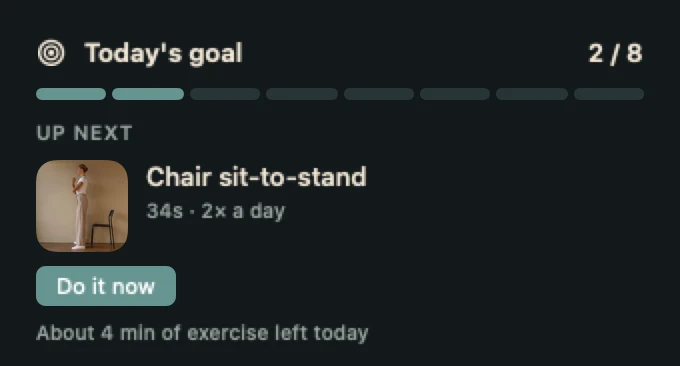
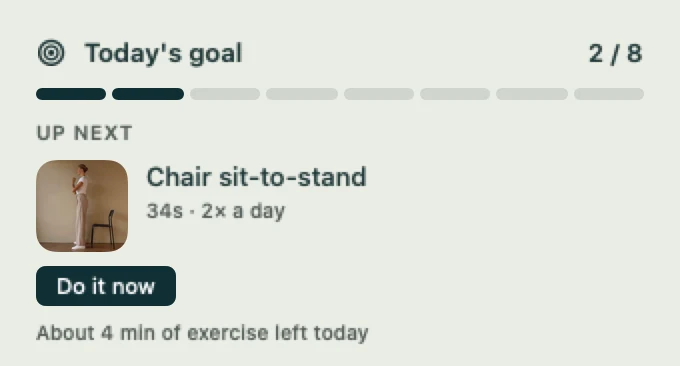
    Each movement comes back as often as the physiotherapist set: how many days a week, how many times a day and how many hours apart. Today’s goal sits in the menu bar.

  3. 3

    It picks the right moment.

    It counts your real breaks and waits during meetings. When the moment comes, waves rise from the edge of the screen and invite you. They grow a little more noticeable until you respond. One click starts, one click snoozes, and if you ignore it, nothing turns red.

Today’s goal in the menu bar: progress, the next movement and how long it takesToday’s goal in the menu bar: progress, the next movement and how long it takes
Today’s goal, in the menu bar.

It stays out of the way

  • Waits during meetings
  • Stays off your screen share in meetings
  • Quiet when you silence it
  • Follows Reduce Motion

In a 12-week office study, meetings were the most common reason people skipped their movement breaks. That’s why Calyvento waits them out. Source

Work, too

Breaks don’t slow the work down.

In the studies, short breaks didn’t cost output, and they gave energy back.

20 min

Data-entry workers who took twenty extra minutes of short breaks a day typed faster and got the same amount done. They also had less discomfort and eye strain.

51 workers · Galinsky et al., NIOSH, 2007
10 min

Across 22 study samples, breaks of ten minutes or less raised energy and reduced fatigue.

2,335 people, meta-analysis · Albulescu et al., PLOS ONE 2022
2 min

Four hours of unbroken sitting reduced blood flow to the brain. Two minutes of walking every half hour prevented it, but eight minutes every two hours did not.

15 desk workers · Carter et al., Journal of Applied Physiology 2018

Whether breaks sharpen thinking itself is still an open question, and the evidence is mixed. The effect on energy and fatigue is clearer. Source

My “two-minute” breaks were lasting forty or fifty. I had no idea until Calyvento showed me. Now they take five or ten.

Batuhan Altun, maker of Calyvento

The AI pause

While AI thinks, you stretch.

An AI app is in front and you’ve stopped typing, so you’re probably waiting for an answer. Calyvento notices, shows you your next move, and the wave starts rising right away.

AI you use in a browser isn’t covered, because Calyvento can’t see which page you’re on.

Thinking…

Try it here: keep still for a few seconds and the wave rises. Move the mouse or scroll, and it slips away.

Clinical review

Designed by a physiotherapist, who also approved the videos.

A licensed physiotherapist prepared and approved every movement, its dose, how often it comes back and who should avoid it. A 20-second hold takes 20 seconds on screen.

  • 26 health conditions, each mapped to the movements it rules out.
  • Some movements were removed at review. Nerve glides, for example, were judged unsuitable to do without supervision.
  • Every movement comes with how-to steps, common mistakes and when to stop.

Calyvento is not a medical device. It doesn’t diagnose, treat or prevent anything. If a movement hurts, stop, and talk to a clinician about pain that doesn’t go away.

Chin tuck
Chin tuck
Upper trapezius stretch
Thoracic extension
Thoracic extension
20-20-20 eye break
20-20-20 eye break
Wrist extensor stretch
Calf raise
Calf raise

All 36 movements and 13 sets

No account needed. Your work data stays on your Mac.

  • It knows that you typed, never what you typed.
  • No window titles, no web addresses, no screenshots.
  • This website doesn’t track you: no analytics, no cookies.
Read the privacy policy

Pricing

The free version does the job.

Tracking, the daily rhythm, the break invitation and eye and breathing breaks are all in the free version. Plus lifts the limit on the movement pool, opens every ready-made set and keeps your whole history.

Free

Free

No account, no card

  • 5 movements in your pool
  • Two ready-made sets
  • Eye and breathing breaks, always on
  • Tracking, statistics and daily rhythm
  • The break invitation, in both styles
  • The last month of history
  • One new movement suggestion a month

Questions

Before you ask

Why not just set an alarm?

An alarm goes off at a fixed time, and that’s rarely a good moment. It catches you mid-thought or mid-call, so you dismiss it and then forget it. Calyvento won’t cut you off in the middle of a hard problem. It counts your real breaks, waits during meetings and steps back if one begins. When you’re waiting on an AI, it nudges you to use the time. Then waves rise from the edge of the screen and grow a little more noticeable until you respond. Nothing is locked, and there’s no sound.

Does it need accessibility or screen recording permission?

No. Idle detection reads a system counter of the time since your last input. It needs no permission and reveals nothing about what you did. App tracking uses the standard system notice that tells any app which app came to the front.

Will the break reminder show up when I’m presenting?

Not in a call. While a known meeting app is using the microphone, Calyvento treats it as a meeting: reminders wait, and an invitation that’s already open closes. If you’re presenting in a room without a call, turn on Do Not Disturb from the menu bar.

Do I have to do the exercises to use it?

No. Tracking, statistics and the daily rhythm work on their own. The exercises are a suggestion, and skipping one costs you nothing. There’s no streak to break.

Can I use it if I have a neck or back problem?

You can add your conditions during setup, and any movement one of them rules out is hidden. Still, Calyvento is not a medical device and doesn’t know your history. If you’re under treatment, ask your clinician first.

Can I share it with my family?

Yes. Plus works with Apple’s Family Sharing. Up to five people in your family group get Plus on their own Macs, and you pay nothing extra. Everyone’s data stays on their own Mac, so nobody sees anyone else’s day.

Working on Windows?

A Windows version is on the way. Leave your email and we’ll write once, on the day it comes out.

One email when your version is out. No newsletter, and we never share your address.